
PM WANI WiFi Scheme: Complete Guide, Benefits, Working Process & Registration (2025)

The rapid expansion of the internet is one of the biggest driving forces behind India’s Digital Transformation. From small shops to remote villages, people depend heavily on stable and affordable connectivity. To support this vision, the Government of India launched one of the most impactful digital schemes — The PM WANI WiFi Scheme (Prime Minister Wi-Fi Access Network Interface).
In this detailed article, we will cover everything you need to know —
✔ What is the PM WANI WiFi Scheme?
✔ How does it work?
✔ What are the benefits?
✔ How to register as a PDO?
✔ Earning opportunities from PM WANI
✔ Latest updates & scam alerts
✔ Official registration link
Let’s explore everything in a clear and simple manner.
1. What is the PM WANI WiFi Scheme?
The PM WANI WiFi Scheme is a government initiative launched in 2020 to create a large network of Public WiFi Hotspots across India. The primary aim is to provide affordable internet access to citizens and help small businesses earn additional income.
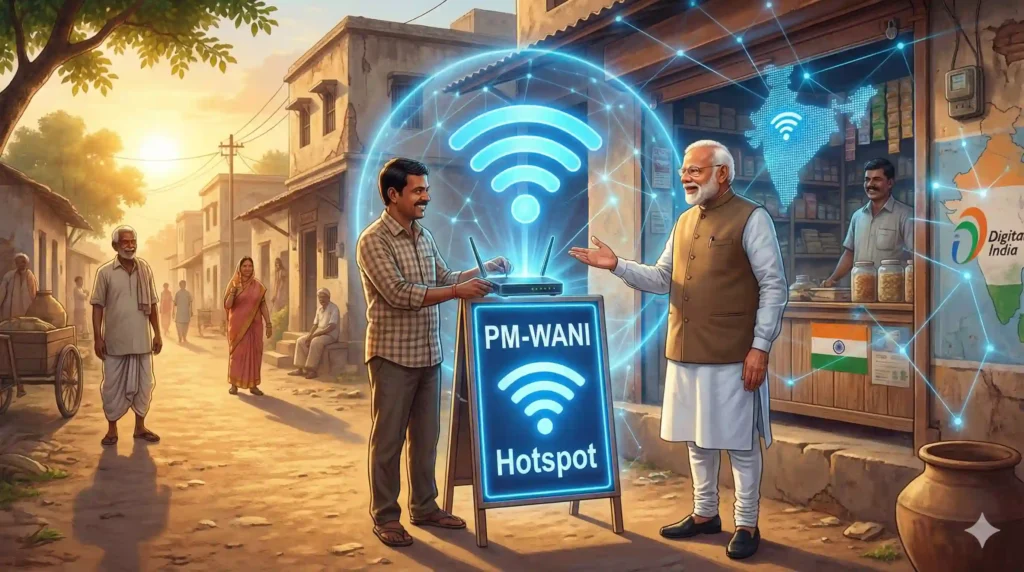
Under this scheme, any individual or small shop owner can set up a WiFi hotspot and provide low-cost internet to the public. These hotspot providers are known as PDOs (Public Data Offices).
The uniqueness of PM-WANI is that it does not require any license, registration fee, or complex documentation. Anyone with a broadband connection and a WiFi router can participate.
2. How Does the PM WANI WiFi Scheme Work?
The PM WANI ecosystem is built on four core components:
1️⃣ Public Data Office (PDO)
A PDO is the individual or shop owner who provides WiFi services through a hotspot.
Example: Tea stalls, grocery shops, small businesses, internet cafés, etc.
2️⃣ Public Data Office Aggregator (PDOA)
PDOA handles user authentication, data usage monitoring, accounting, and backend technical support.
3️⃣ App Provider
Companies that develop apps allowing users to discover and connect to nearby PM-WANI hotspots.
4️⃣ Central Registry
A centralized database maintained by the government to store and manage records of PDOs, PDOAs, and app providers.
This structure ensures secure, fast, and scalable WiFi access across the country
3. Is the Government Providing Free WiFi or Free Routers? (Important!)
One of the biggest misconceptions on social media is that the government is distributing:
❌ Free WiFi connections
❌ Free routers
❌ Free internet for homes
These claims are completely fake.
The PM WANI scheme does NOT provide free home internet.
It only helps people set up public WiFi hotspots where users pay a small amount for data.
The government has officially confirmed that no free routers or free connections are being offered under this scheme.
Best AI Fantasy Image Prompt
4. Key Benefits of the PM WANI WiFi Scheme
The PM-WANI project offers significant benefits to both citizens and businesses:
✔ Affordable Internet for Everyone
Users can access data packs at extremely low prices (₹5–₹20).
✔ Great for Rural & Remote Areas
Regions where fiber networks are weak can still get access to good-quality internet.
✔ Additional Income for Small Businesses
Shop owners or individuals can earn daily income by offering WiFi services.
✔ Boost to Digital India
Digital payments, online education, banking, UPI, and essential services become more accessible.
✔ New Employment Opportunities
The scheme opens technical, support, and business roles for many.
5. Who Can Apply for PM WANI WiFi Scheme?
Almost anyone can become a PDO:
✔ Small shop owners
✔ Tea stalls
✔ Grocery store owners
✔ Internet café owners
✔ Self-employed individuals
✔ Home-based entrepreneurs
There are no eligibility restrictions — making it one of the most inclusive schemes.
6. How to Apply for PM WANI WiFi Scheme? (Step-by-Step Guide)
Follow these simple steps to set up a PM-WANI hotspot:
Step 1: Get a Broadband or Fiber Connection
- Choose any ISP:
- Jio Fiber
- Airtel Fiber
- ACT
- BSNL FTTH
- Local ISP providers
Step 2: Install a WiFi Router
A good quality dual-band router is recommended for better coverage.
Step 3: Register as a PDO
👉 Official Registration Portal:
https://www.sancharsaathi.gov.in
This is the only official website for PM-WANI related services.
Step 4: Submit Required Details
- Provide basic information such as:
- Your name
- Shop/house address
- ID proof
- Contact number
No fee, no complicated verification.
Step 5: Activate Your Hotspot
Once approved, your WiFi hotspot becomes part of the PM-WANI network.
You can now sell data packages to nearby users through any PM-WANI compatible app.
7. How Much Can You Earn as a PDO? (Realistic Earning Chart)
Earnings depend on the number of users and data packs chosen.
Daily Users Estimated Daily Income Estimated Monthly Income
20 users ₹100–₹200 ₹3,000–₹6,000
50 users ₹200–₹500 ₹6,000–₹15,000
100 users ₹500–₹1000 ₹15,000–₹30,000
For small businesses, this becomes a steady, passive side income.
8. PM WANI WiFi Scheme Scams — Stay Alert!
Avoid the following fake scams:
❌ “Free WiFi from Modi Government”
❌ “Free Router under PM WANI”
❌ “₹5000 Registration Fee”
❌ “Government will install WiFi at your home”
PM WANI registration is completely free and only done via the Sancharsathi Portal.
9. Latest Updates on PM WANI (2025)
✔ TRAI Introduced New Tariff Rules
New guidelines ensure fair pricing and support more PDOs.
✔ Fake Messages Exposed by Fact-check Teams
Government clarified no free WiFi is being provided.
✔ Number of Hotspots Increasing Rapidly
More PDOs are joining the network, especially in Tier-2 and Tier-3 cities.
10. Why PM WANI is Important for India’s Digital Future
The scheme supports India’s goal of becoming a $1 Trillion digital economy by:
Expanding internet access
Empowering small shop owners
Strengthening online payments
Supporting e-learning
Boosting local entrepreneurship
PM WANI is not just a WiFi scheme — it is a vision to make India digitally unstoppable.
👉 Official PM-WANI Registration Link:
This scheme can transform local businesses and communities. If you are looking for a simple way to start a small income source, becoming a PDO can be a great option.
PM-WANIకి రిజిస్ట్రేషన్ ఎలా చేసుకోవాలి? (చిన్న పిల్లాడికి కూడా అర్థమయ్యే Step-by-Step Guide)
మీరు మా వెబ్సైట్లో ఉన్న అధికారిక “PM-WANI Registration” లింక్పై క్లిక్ చేసిన తర్వాత ఒక Government website ఓపెన్ అవుతుంది. ఈ సైట్లో మీరు మీ WiFi హాట్స్పాట్ను PDOగా రిజిస్టర్ చేసుకోవాలి. ఈ ప్రాసెస్ చాలా సింపుల్—కేవలం 2–3 నిమిషాల్లో పూర్తవుతుంది.
మొదట సైట్ ఓపెన్ అయిన వెంటనే “PM-WANI Services” లేదా “Register as PDO” అనే బటన్ కనిపిస్తుంది. ఆ బటన్పై నొక్కండి. నొక్కగానే ఒక చిన్న ఫారం ఓపెన్ అవుతుంది. ఈ ఫారంలో మీ పేరు, అడ్రస్, మొబైల్ నెంబర్ వంటి చాలా సింపుల్ వివరాలు మాత్రమే అడుగుతారు. ఇది ఏ Bank form కూడా కాదు—చిన్న YouTube Login లాంటిది.
ఫారంలో అడిగిన ప్రతిదాన్ని శ్రద్ధగా టైప్ చేసి చివరలో Submit పై క్లిక్ చేయండి. Submit నొక్కిన తర్వాత మీ రిజిస్ట్రేషన్ ప్రభుత్వం దగ్గరకు వెళ్తుంది. వారు మీ వివరాలు చూడగానే మీ WiFi హాట్స్పాట్ను ఒక PDO (Public Data Office) గా approve చేస్తారు. Approval వచ్చిన వెంటనే మీ WiFi PM-WANI నెట్వర్క్లో లైవ్ అవుతుంది, మీరు మీ ప్రాంతంలో ఉన్న వాళ్లకు సులభంగా ఇంటర్నెట్ అందించగలుగుతారు.
ఇది అంతే! ఎలాంటి డబ్బులు, ఎలాంటి కష్టం లేదు. మీ WiFi ని హాట్స్పాట్ గా మార్చి, దానితో మీరు చిన్నగా ఆదాయం కూడా సంపాదించవచ్చు.
👉 PM-WANI రిజిస్ట్రేషన్ ఎలా చేయాలి? (Step-by-Step in Bullet Points)
- మా వెబ్సైట్లో ఉన్న PM-WANI Registration Official Link పై క్లిక్ చేయండి.
- లింక్ ఓపెన్ అయిన వెంటనే ఒక Government Website కనిపిస్తుంది.
- అందులో PM-WANI Services లేదా Register as PDO అనే బటన్ ఉంటుంది.
- ఆ బటన్పై క్లిక్ చేయండి.
- ఇప్పుడు మీ ముందుకు ఒక Registration Form వస్తుంది.
- ఇందులో మీకు తెలుసు అయిన basic details మాత్రమే అడుగుతారు:
* మీ పేరు
* మీ షాప్/ఇంటి అడ్రెస్
* మీ మొబైల్ నెంబర్
* మీ ఇమెయిల్ (ఉంటే)
* మీరు WiFi పెట్టే లొకేషన్
- ఈ వివరాలన్నీ నెమ్మదిగా, సరిగా టైప్ చేయండి.
- చివరలో Submit అనే బటన్ ఉంటుంది—దానిపై క్లిక్ చేయండి.
- ఇప్పుడు మీ అప్లికేషన్ ప్రభుత్వం దగ్గరకు వెళ్తుంది.
- మీ వివరాలు సరిగా ఉంటే PDO Approval వస్తుంది.
- Approval వచ్చిన వెంటనే మీ WiFi PM-WANI Hotspot గా లైవ్ అవుతుంది.
- ఇక మీ ప్రాంతంలోని యూజర్లు మీ WiFi హాట్స్పాట్ను చూసి data packs కొనుగోలు చేసి ఉపయోగించగలరు.
- మీరు కూడా ప్రతి రోజు కొద్దిగా అదనపు ఆదాయం సంపాదించగలరు.
Conclusion
The PM WANI WiFi Scheme is a groundbreaking project that aims to make affordable internet accessible to every citizen. It also creates income opportunities for small shop owners and empowers digital growth across India.
However, it is equally important to stay away from fake scams promoting free WiFi or free routers.
Always apply only through the official portal:
Frequently Asked Questions (FAQ)
1. Is WiFi completely free under PM WANI?
No. Data packs are offered at affordable prices but not free.
2. Does the government provide routers?
No. You must purchase your own router.
3. Is registration free?
Yes. 100% free.
4. What speed can I expect?
The speed depends on your broadband connection (20–200 Mbps).
5. Can I set up multiple hotspots?
Yes, you can run multiple PDO hotspots.
6. Is PM WANI safe?
Yes. The system follows secure authentication protocols.








3 thoughts on “PM WANI WiFi Scheme: Complete Guide, Benefits & Registration (2025)”