AI Video Editor App Review: Complete Guide to Vidma AI Video Editor
Video content has become the backbone of digital platforms like YouTube, Instagram, Facebook, and Shorts. Whether you are a beginner, a content creator, or a small business owner, video editing plays a crucial role in engagement and reach.
However, traditional video editing software like Premiere Pro or Final Cut requires technical skills, time, and powerful devices. This is where AI Video Editor Apps come into play.
In this article, we will take a deep dive into Vidma AI, one of the trending AI-powered video editing apps, and see whether it is worth using in 2026.
What Is an AI Video Editor App?
An AI Video Editor App uses Artificial Intelligence to automate video editing tasks such as:
- Cutting clips
- Adding transitions
- Syncing music
- Applying effects
- Enhancing visuals
Unlike traditional editors, AI-based apps reduce manual effort and allow users to create professional-looking videos within minutes.
Introduction to Vidma AI Video Editor
Vidma AI is a mobile-based AI video editing application designed for:
- Beginners
- YouTubers
- Instagram Reels creators
- Short-form video creators
- Social media marketers
The app is available on the Google Play Store and offers both free and premium plans.
Key Features of Vidma AI Video Editor
1. AI Auto Video Editing
Vidma AI automatically analyzes your photos or video clips and creates a complete video with:
- Smooth transitions
- Music synchronization
- Visual effects
- Automatic cuts
This feature is perfect for users who don’t have editing experience.
2. Ready-Made Templates
Vidma AI offers a wide range of templates for:
- Instagram Reels
- YouTube Shorts
- Facebook videos
- Birthday and wedding videos
- Travel and lifestyle content
Templates help users follow trending styles without manual editing.
3. AI Music Beat Sync
One of the strongest features of Vidma AI is beat-based editing.
- Automatically matches video cuts with music beats
- Creates dynamic, engaging videos
- Ideal for reels and short videos
This feature alone saves hours of editing time.
4. Text, Titles & Subtitles
Vidma AI supports:
- Animated text overlays
- Stylish fonts
- Subtitle generation
- Custom captions
Subtitles significantly increase watch time and engagement, especially on social platforms.
5. Filters, Effects & Color Presets
Users get access to:
- Cinematic filters
- HDR color presets
- Lighting effects
- Motion overlays
These effects help videos look professional without advanced color grading skills.
6. Copyright-Free Music Library
Vidma AI provides:
- Royalty-free background music
- Trending sound effects
- Mood-based audio tracks
This ensures videos remain safe for YouTube monetization.
Free Version vs Pro Version Comparison
Free Version
- Basic templates
- Limited effects
- Watermark on videos
- Ads included
Pro Version
- No watermark
- Full access to templates
- Premium AI effects
- Faster exports
- Ad-free experience
The Pro version is ideal for serious content creators.
Who Should Use Vidma AI?
Vidma AI is best suited for:
- Beginner video editors
- YouTube Shorts creators
- Instagram Reels creators
- Small business promotions
- Daily vloggers
It may not be suitable for professional filmmakers who need advanced manual control.
How to Edit YouTube Videos Using Vidma AI
Step-by-Step Process
1. Install and open Vidma AI
2. Select “Create Video”
3. Upload photos or video clips
4. Choose a template
5. Customize text and music
6. Export in HD or Full HD
The entire process takes only a few minutes.
Creating Instagram Reels with Vidma AI
Vidma AI is highly optimized for vertical videos:
- 9:16 aspect ratio
- Trending reel templates
- Automatic beat sync
This makes it easy to create viral short-form content consistently.
Pros and Cons of Vidma AI Video Editor
Pros
- Beginner-friendly interface
- AI-powered automation
- Time-saving templates
- Mobile editing convenience
- Fast video rendering
Cons
- Watermark in free version
- Limited manual editing controls
- Not suitable for advanced filmmaking
Is Vidma AI Safe and AdSense Friendly?
Yes, Vidma AI is:
- Google Play verified
- Uses copyright-free resources
- Safe for YouTube monetization
- AdSense-friendly for content creators
There are no policy violations or unsafe practices involved.
Vidma AI vs Other Video Editing Apps
Vidma AI vs CapCut
- CapCut offers advanced tools
- Vidma AI focuses on automation and simplicity
Vidma AI vs InShot
- InShot is manual editing focused
- Vidma AI offers faster AI-based editing
Vidma AI vs VN Editor
- VN Editor provides professional control
- Vidma AI is better for quick content creation
How to Create Viral Videos Using Vidma AI
Pro Tips
- Use trending templates
- Add subtitles for higher retention
- Choose energetic music
- Keep videos short and engaging
- Export in high resolution
Consistency matters more than perfection.
Performance and Export Quality
Vidma AI supports:
- HD and Full HD exports
- Smooth transitions
- Optimized file sizes
Export speed depends on device performance but is generally fast.
Pricing and Subscription Details
Pricing may vary by region, but generally includes:
- Monthly plan
- Annual plan (best value)
For creators, the annual plan offers maximum benefits.
Final Verdict: Is Vidma AI Worth Using?
Vidma AI is an excellent choice for:
- Beginners
- Social media creators
- Users who want fast results
- Those who prefer mobile editing
While it may not replace professional desktop software, it excels in speed, simplicity, and automation.
Vidma AI vs CapCut: Which Video Editor Is Better in 2026?
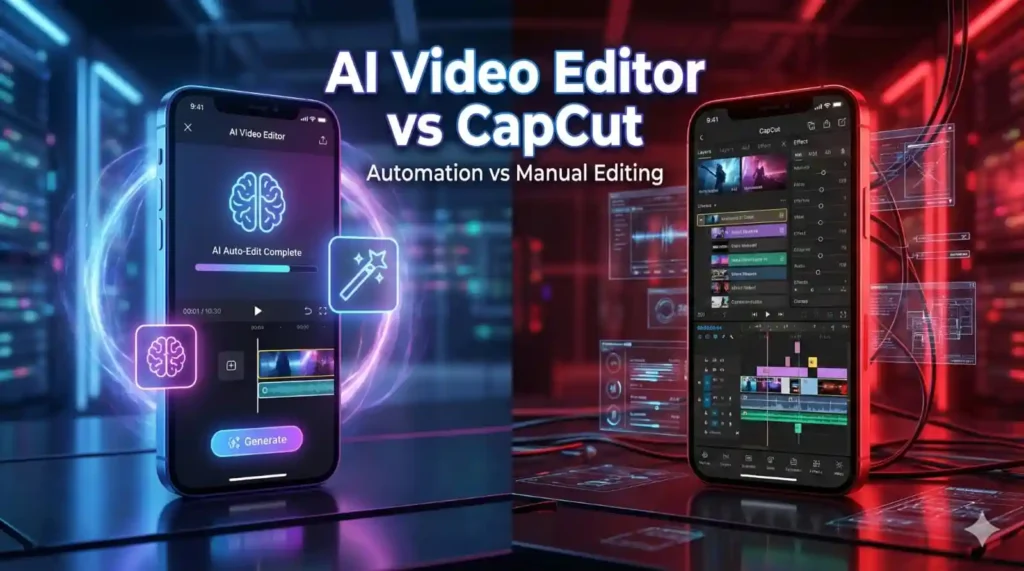
CapCut is one of the most popular video editing apps in the world and is widely used by content creators for editing short-form videos. When comparing Vidma AI vs CapCut, the main difference lies in the approach to video editing.
CapCut focuses on manual editing and creative control. It provides a multi-layer timeline, advanced effects, keyframe animation, and detailed customization options. This makes CapCut suitable for intermediate and advanced editors who want full control over their videos.
Vidma AI, on the other hand, is built around automation. It uses artificial intelligence to handle most of the editing process automatically. Users simply select their clips, choose a template, and let the AI create the video. This makes Vidma AI ideal for beginners and users who want fast results without spending much time on editing.
For YouTube Shorts and Instagram Reels, Vidma AI works exceptionally well because of its AI beat synchronization and ready-made templates. CapCut is more powerful for complex edits, but it requires time and editing skills.
In summary, if you prefer speed, simplicity, and AI automation, Vidma AI is the better choice. If you want advanced editing control and creative freedom, CapCut is the better option.
Other Popular Video Editing App Alternatives
Apart from CapCut, there are several other video editing apps available in the market. InShot, VN Editor, Filmora Mobile, and KineMaster are popular alternatives. However, most of these apps rely heavily on manual editing.
Vidma AI stands out because of its AI-powered workflow. While InShot is easy to use, it lacks advanced automation. VN Editor offers professional tools but is not beginner-friendly. Filmora Mobile provides both AI and manual features but has a learning curve. Vidma AI is best for users who want quick, automated video creation.
Real-Life Use Cases of Vidma AI Video Editor
Vidma AI is useful in many real-world scenarios. YouTubers can use it to create Shorts, intro videos, and quick edits. Instagram creators can consistently produce Reels using trending templates. Small businesses can create promotional videos for social media without hiring a professional editor.
Travel videos, birthday highlights, wedding reels, and motivational videos can be created easily using Vidma AI. Daily vloggers can also benefit from mobile-based editing, allowing them to edit and publish content from anywhere.
Can You Monetize Videos Created Using Vidma AI?
Videos created with Vidma AI are safe for monetization. The app provides copyright-free music and effects, which reduces the risk of copyright claims. As long as the content follows YouTube and platform guidelines, monetization is allowed.
From an AdSense perspective, videos edited using Vidma AI do not violate any policies. This makes the app suitable for creators who want to earn revenue through video content.
Frequently Asked Questions About Vidma AI Video Editor
Many users ask whether Vidma AI is better than CapCut. The answer depends on the user’s needs. Vidma AI is better for beginners and fast editing, while CapCut is better for advanced customization.
Another common question is whether Vidma AI is free to use. The app offers a free version with limited features and a paid version for full access.
Users also ask if Vidma AI supports subtitles, which it does. The app is also suitable for creating Instagram Reels, YouTube Shorts, and social media videos.
Final Thoughts After Comparing Vidma AI and CapCut
After comparing Vidma AI with CapCut and other video editing apps, it is clear that Vidma AI focuses on simplicity and automation. It is an excellent tool for beginners and creators who want quick results.
CapCut remains a strong choice for users who need detailed editing control. Choosing between the two depends entirely on your editing style, skill level, and content goals.
Conclusion: Final Thoughts on Vidma AI Video Editor App
After exploring all aspects of Vidma AI Video Editor, including its features, real-life use cases, comparisons with CapCut and other apps, and monetization safety, it is clear that Vidma AI is designed for speed, simplicity, and ease of use. This app is not trying to replace professional desktop software. Instead, it focuses on helping beginners and social media creators produce engaging videos quickly using artificial intelligence.
Vidma AI is especially useful for YouTube Shorts, Instagram Reels, Facebook videos, and short-form content where consistency matters more than complex editing techniques. Its AI automation, ready-made templates, beat synchronization, and subtitle support make it an excellent choice for creators who want fast results without technical skills.
CapCut remains a strong competitor for users who need advanced manual editing control, but Vidma AI clearly stands out for users who prefer automation and efficiency. If your goal is to create content regularly, save time, and focus more on creativity than editing, Vidma AI is worth using in 2026.
Overall, Vidma AI is a reliable, beginner-friendly, and monetization-safe AI video editor that fits perfectly into the modern content creation workflow.
Frequently Asked Questions (FAQs) About Vidma AI Video Editor App
1. What is Vidma AI Video Editor?
Vidma AI Video Editor is a mobile-based video editing application that uses artificial intelligence to automate video creation. It allows users to create professional-looking videos with minimal effort using templates, music sync, effects, and subtitles.
2. Is Vidma AI free to use?
Yes, Vidma AI offers a free version. However, the free version includes watermarks, limited templates, and advertisements. A paid version is available for users who want full access.
3. Is Vidma AI better than CapCut?
Vidma AI and CapCut serve different types of users. Vidma AI is better for beginners and users who want fast, automated editing. CapCut is better for users who want advanced manual control and detailed customization.
4. Can beginners use Vidma AI easily?
Yes, Vidma AI is designed specifically for beginners. The interface is simple, and most editing tasks are handled automatically by AI.
5. Is Vidma AI suitable for YouTube Shorts?
Yes, Vidma AI is highly suitable for YouTube Shorts. It supports vertical video formats, trending templates, and fast exports, making it ideal for short-form content.
6. Can I use Vidma AI for Instagram Reels?
Yes, Vidma AI works very well for Instagram Reels. The app includes reel-specific templates and AI beat synchronization, which helps create engaging content.
7. Does Vidma AI support subtitles?
Yes, Vidma AI supports subtitles and animated text overlays. Adding subtitles can improve engagement and watch time.
8. Are videos created with Vidma AI safe for monetization?
Yes, videos created using Vidma AI are safe for monetization as long as the content follows platform guidelines. The app provides copyright-free music and effects.
9. Does Vidma AI add copyright claims?
No, Vidma AI provides royalty-free music. However, users should always double-check platform policies before uploading videos.
10. Is Vidma AI good for daily vloggers?
Yes, daily vloggers can benefit from Vidma AI because it allows fast editing on mobile devices without requiring technical skills.
11. Does Vidma AI work offline?
Most AI features require an internet connection. Basic editing may work offline, but full functionality requires online access.
12. Can small businesses use Vidma AI?
Yes, small businesses can use Vidma AI to create promotional videos, product highlights, and social media ads.
13. Does Vidma AI support HD export?
Yes, Vidma AI supports HD and Full HD video exports.
14. Does Vidma AI support 4K export?
Currently, Vidma AI mainly supports HD and Full HD exports. 4K support may vary depending on updates.
15. Is Vidma AI available for iOS?
Availability depends on the developer. Users should check the App Store or official website for the latest platform support.
16. Is Vidma AI safe to install?
Yes, Vidma AI is available on official app stores and is safe to install when downloaded from trusted sources.
17. Does Vidma AI include watermarks?
Yes, the free version includes watermarks. The paid version removes them.
18. How much does Vidma AI cost?
Pricing varies by region and subscription plan. Monthly and yearly plans are usually available.
19. Can Vidma AI be used for Facebook videos?
Yes, Vidma AI supports multiple aspect ratios and works well for Facebook video content.
20. Does Vidma AI require editing experience?
No, editing experience is not required. The AI handles most tasks automatically.
21. Is Vidma AI good for travel videos?
Yes, Vidma AI offers templates and effects suitable for travel and lifestyle videos.
22. Can I add my own music in Vidma AI?
Yes, users can upload their own music tracks if needed.
23. Does Vidma AI support voiceovers?
Some versions support adding voiceovers. Feature availability may vary
24. Is Vidma AI good for motivational videos?
Yes, Vidma AI is widely used for motivational and quote-based videos.
25. Can Vidma AI be used for educational content?
Yes, it can be used to create short educational videos with text and subtitles.
26. Does Vidma AI have templates for festivals and events?
Yes, Vidma AI offers event-based and festival-themed templates.
27. Is Vidma AI suitable for long videos?
Vidma AI works best for short and medium-length videos. It is not ideal for long-form cinematic projects.
28. Does Vidma AI support multiple languages?
Yes, Vidma AI supports multiple languages for text and subtitles.
29. Is Vidma AI beginner-friendly compared to VN Editor?
Yes, Vidma AI is more beginner-friendly, while VN Editor is more suitable for advanced users.
30. Can Vidma AI help grow social media accounts?
Yes, consistent posting with engaging videos created using Vidma AI can help grow social media accounts.
31. Does Vidma AI consume a lot of storage?
Vidma AI is relatively lightweight compared to desktop editing software, but exported videos may consume storage.
32. Is Vidma AI good for content creators in 2026?
Yes, Vidma AI aligns well with current content trends and remains useful in 2026.
33. Can I use Vidma AI for client projects?
Yes, especially with the paid version that removes watermarks.
34. Does Vidma AI offer customer support?
Support availability depends on the app developer and subscription plan.
35. Should I choose Vidma AI or CapCut?
Choose Vidma AI if you want fast, AI-based editing. Choose CapCut if you want manual control and advanced features.
36. Can Vidma AI replace professional video editing software?
No, Vidma AI is not meant to replace professional software like Premiere Pro or Final Cut. It is designed for quick, automated editing rather than advanced filmmaking.
Tags:-
Vidma AI Review,
AI Video Editor App,
Vidma AI Features,
Best AI Video Editor 2026,
Vidma AI Pros and Cons,
Vidma AI Review,
AI Video Editor App,
vidma ai features,
best ai video editor 2026,
ai video editing app,
vidma ai pros cons,
ai reels maker,
auto captions ai,
ai youtube shorts,
mobile video editor ai,
text to video ai,
content creator tools,